

Easy Testimonial

Highlight Features
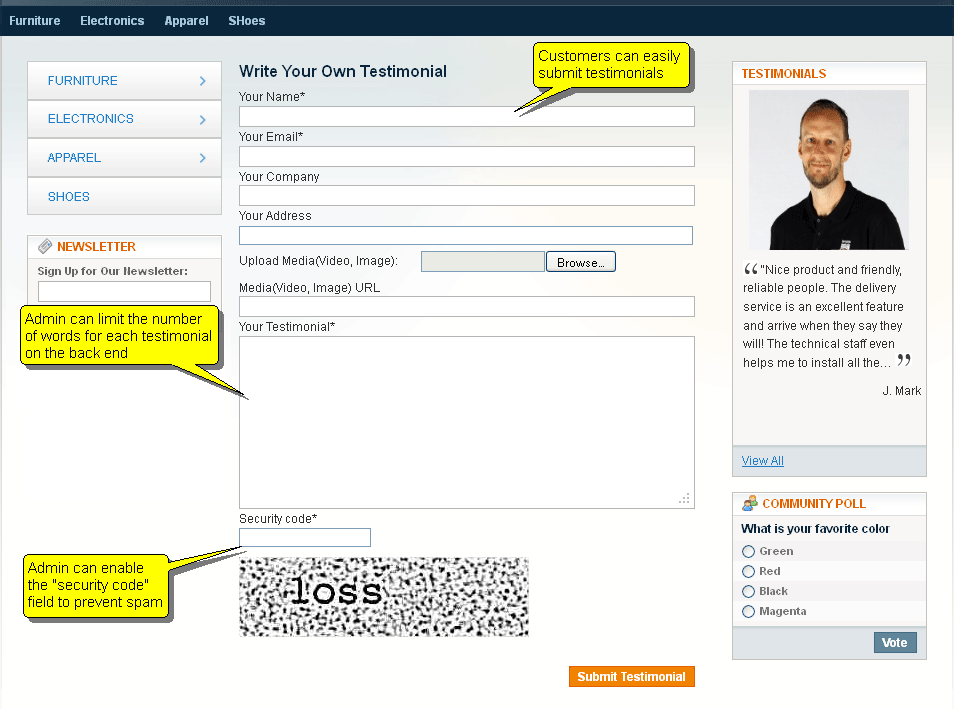
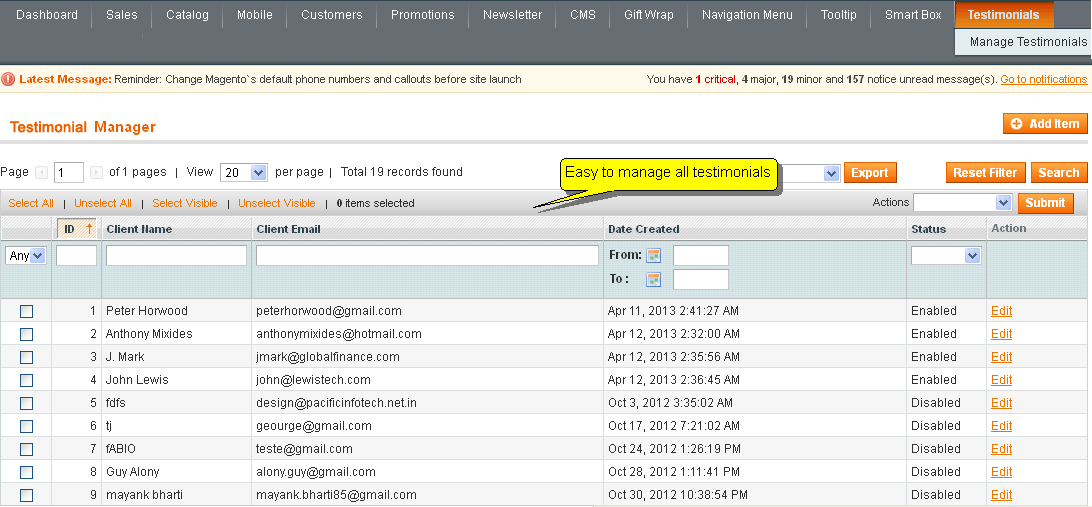
1Easy to Submit and Approve
Limit text length and avoid spam with Captcha
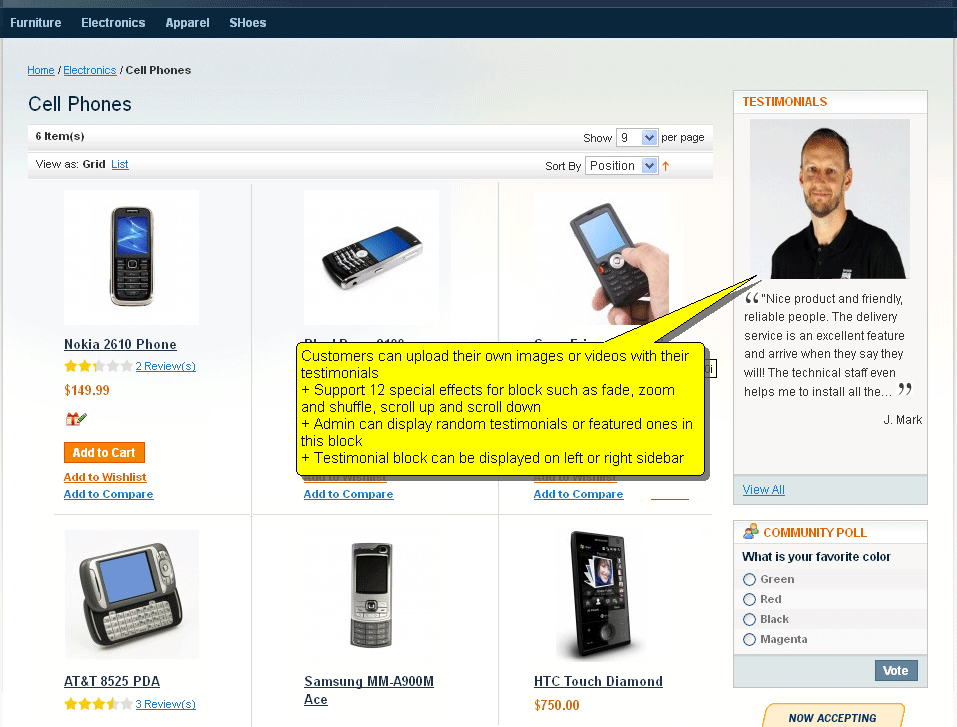
2Display Featured or Random Testimonials
Highlight your Best Reviews
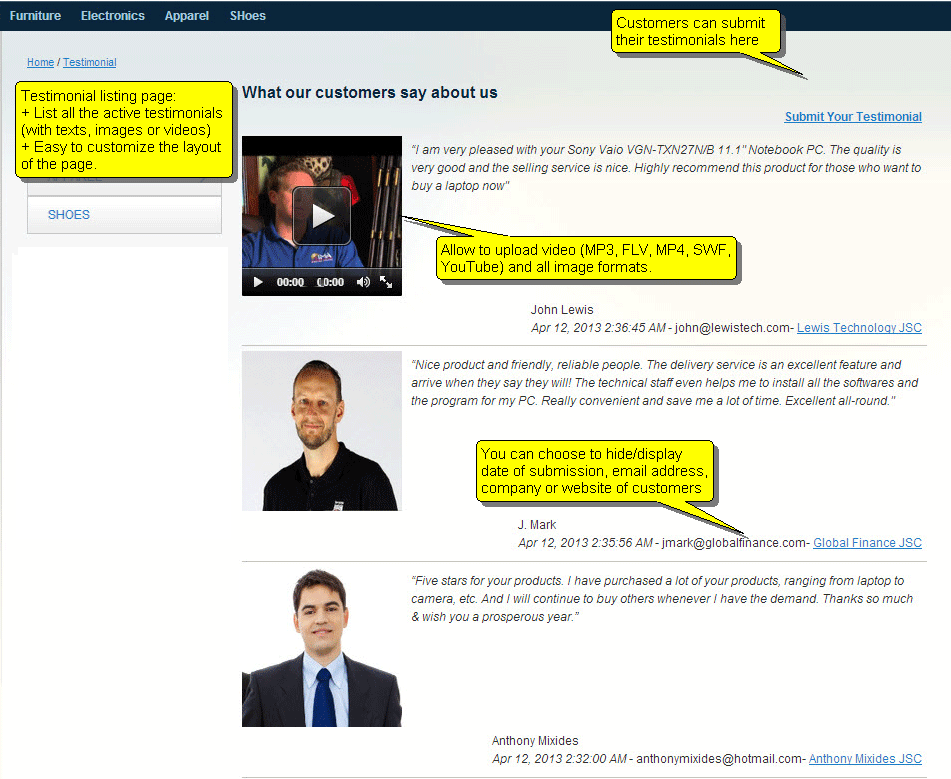
3Upload Videos and Images
Allow customers to upload video testimonials and images
4Twelve Special Effects
Including Fade, Zoom & Shuffle
Feature Full-List
Highlighted Features
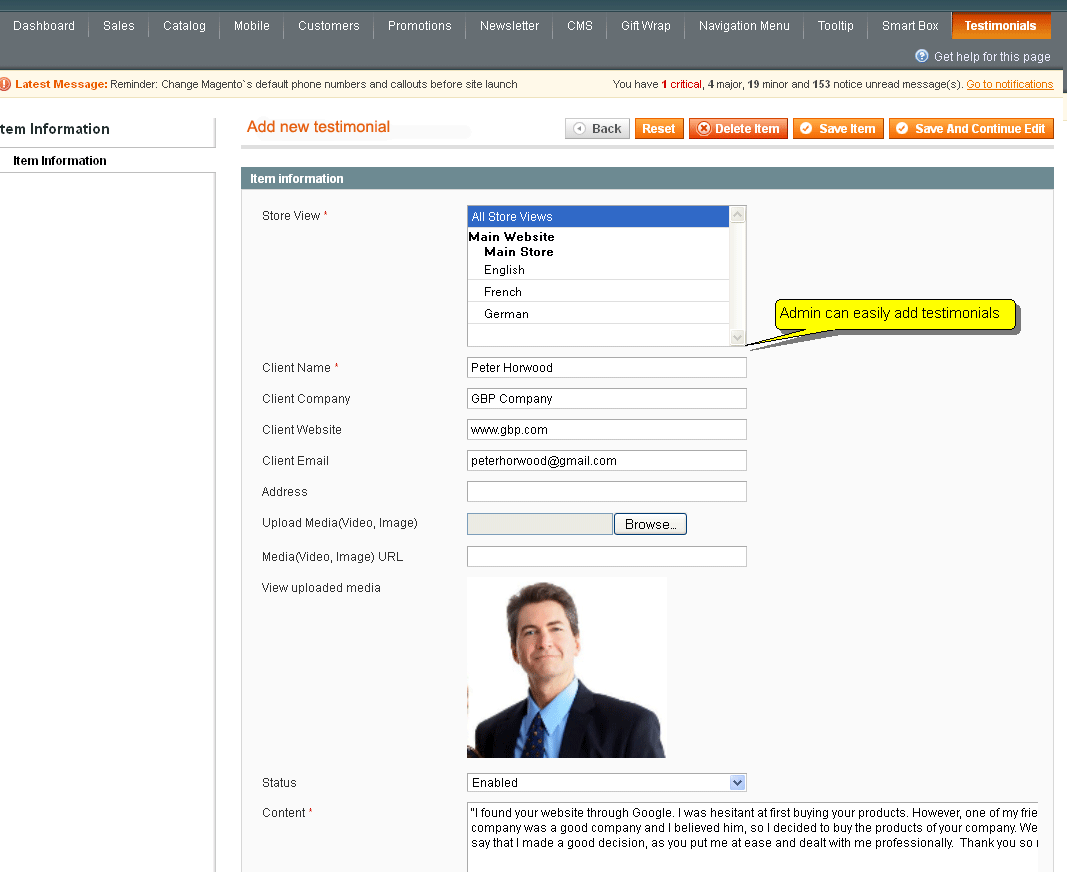
- Allow adding testimonial by admin panel
- Allow client to submit testimonial on frontend
- Allow to upload video ( MP3,FLV, MP4, SWF) and all image formats.
- Allow to use video from youtube.
- Allow user to enable captcha that protect your site from spam
- Support 12 different special effects to show testimonials on frontend
- Allow limiting number of words on each testimonials that will be displayed on block on left or right side bar.
- The extension supports to display 12 display modes with special effects such as fade, fadeZoom, cover, uncover, shuffle, zoom, wipe, toss, turnDown, turnUp, scrollDown, scrollUp.
- Allow to set width and height of video and images that show on frontent
- Allow to show a popup when customer clicks a testimonial on the slider
Other Features
- HTML/CSS validation
- Easy to install, easy to upgrade, just copy and use
- Friendly and flexible configuration
- Support multiple stores and multiple languages
- Easy to customize front-end via HTML/CSS
- 100% open-source
Documentation
Why should we choose MageWorld
Free
Life-Time Upgrade
Free
Life-Time Support
90 Days
Money Back
100%
Open Source
98% Customers
Satisfied
11 years
On The Market
Testimonials
Your satisfaction is our most value motivation
Mage-World's Magento 2 extensions are very impressive, they are all easy to install and use. I haven't experienced any difficulties when using these products. I highly recommend this site! I think I will sponsor this company to my friends in the future.

Ashley Rulin, Sales Manager
The support service is really good, you're always there when I have problems. I have worked with several services but you are the one that is able to satisfy my expectation. I will continue working with your service in the future! Keep the good work.
David Bleu, CEO
I'm really impressed with the Magento 2 Affiliate Pro module from Mage-world. It's simple, but powerful, and it can entirely replace my previous costly affiliate system without any difficulty. It's a valuable catch for anyone who wants to have an built-in affiliate system for your Magento site. Besides, the support is superb and affordable.
Steve Marshall
Customers reviews
-
Great extensionGomazGreat extension. I have installed the extension on my site and I get problem with ajax conflict with exist slider. I asked MageWorld Support and they fixed it in 5 minutes. Thanks MageWorld, Highly recommended to every one.
-
Simple extensionGoetschThe extension is simple and very easy to install. I want to customize the style so it's suitable with my theme, and MageWorld have done it free for me and they did very fast. That is best support I have ever saw. Thanks.
-
NiceLucasNice testimonial module. Nothing more nothing less.
-
Highly recommendedLoraineReally nice extension. Working fine on my site. very easy to customize. Thanks.
-
RecommendErik1983I want to recommend this extension to every one. Because I'm using this and I happy with this extension. The support is also very great and helpful.
Related Products
